| Returns Accepted | ReturnsNotAccepted |
|---|---|
| Brand | BMW |
| Apple CarPlay | Yes |
| Unit Type | Unit |
| Manufacturer Warranty | 60 Day |
| Manufacturer Part Number | 6CP |
| Video in motion (VIM) | Yes |
| Android Screen Mirroring | Yes |
| Country/Region of Manufacture | Germany |
| Lifetime FSC | Yes |
| Unit Quantity | 1 |
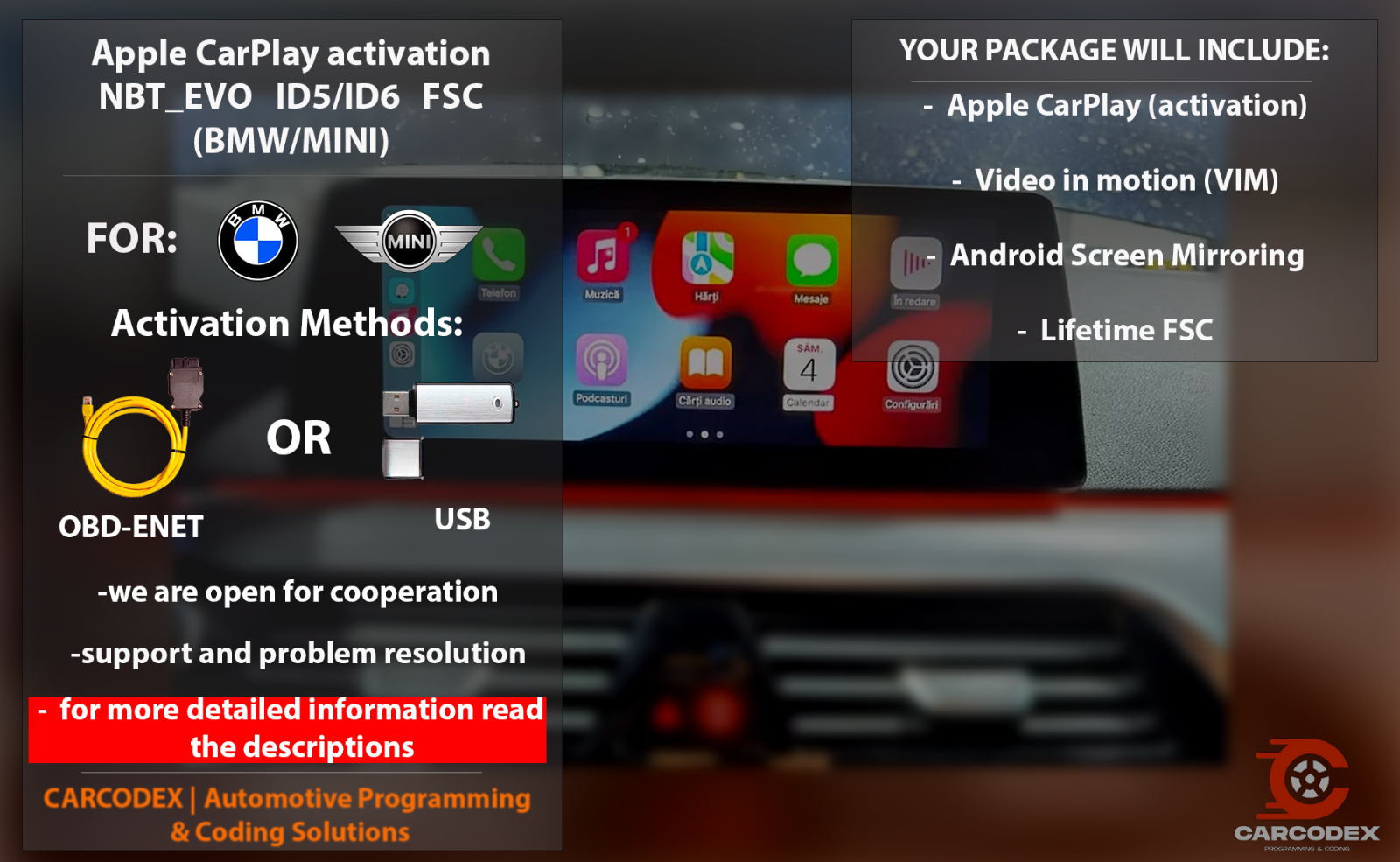
Check the listing for details. Apple CarPlay activation NBT EVO ID5/ID6 FSC (BMW/MINI) - Full Package. Condition: New. Listed at 23.99 USD. CARCODEX Product Description Template Description!!!Please send a message with your VIN code and a picture of your NBT_EVO main unit before purchase, we will check if your unit is compatible Thank you. !!!!Please ensure your multimedia system is compatible with CarPlay by checking the table below! After purchasing the activation, we will reach out to you to schedule a date and time for the remote activation. COMPABILITY Check the NBT EVO version: go to "Navigation" > "Map" > "Options" Button > Navigation Settings > From below will be "Position and Version" > Select "Version" The following versions support USB activation: Only Split Screen CarPlay NBTEvo_H — ✔Only Split Screen CarPlay (USB Activation) NBTEvo_I — ✔Only Split Screen CarPlay (USB Activation) NBTEvo_J — ✔Only Split Screen CarPlay (USB Activation) NBTEvo_K — ✔Only Split Screen CarPlay (USB Activation) NBTEvo_L — ✔Only Split Screen CarPlay (USB Activation) NBTEvo_M — ✔Only Split Screen CarPlay (USB Activation) Full Screen Carplay NBTEvo_N — ✔Full Screen CarPlay (USB Activation) NBTEvo_O — ✔Full Screen CarPlay (USB Activation) ENET activation will function on these versions: NBTEvo_P — ✔Full Screen CarPlay (Enet Activation) NBTEvo_Q — ✔Full Screen CarPlay (Enet Activation) NBTEvo_R — ✔Full Screen CarPlay (Enet Activation) NBTEvo_S — ✔Full Screen CarPlay (Enet Activation) NBTEvo_U — ✔Full Screen CarPlay (Enet Activation) NBTEvo_V — ✔Full Screen CarPlay (Enet Activation) NBTEvo_W — ✔Full Screen CarPlay (Enet Activation) NBTEvo_Y — ✔Full Screen CarPlay (Enet Activation) Technical details 90% of cars have wifi antenna but some cars may require additional wifi antenna to get carplay functioning properly. it is the buyer’s responsibility to buy one. YOU CAN ALWAYS BUY AFTER CARPLAY ACTIVATION AS WIFI ANTENNA IS JUST PLUG AND PLAY. How to Activate CarPlay Using a USB Stick? Format the USB stick to FAT32.Upload the files I will send you to the root directory of the USB stick.Insert the USB stick into the armrest slot and remove it after one minute.Restart the multimedia system by pressing and holding the volume button.The screen will turn blue; wait for the system to reboot, which may take up to two minutes.CarPlay will be activated! How to Activate CarPlay Using an ENET Cable? If your vehicle is compatible with activation through an ENET cable, I will provide you with detailed instructions following your payment. Buy Now CARCODEX | Automotive Programming & Coding SolutionsCARCODEX Product Description Template Description!!!Please send a message with your VIN code and a picture of your NBT_EVO main unit before purchase, we will check if your unit is compatible Thank you. !!!!Please ensure your multimedia system is compatible with CarPlay by checking the table below! After purchasing the activation, we will reach out to you to schedule a date and time for the remote activation. COMPABILITY Check the NBT EVO version: go to "Navigation" > "Map" > "Options" Button > Navigation Settings > From below will be "Position and Version" > Select "Version" The following versions support USB activation: Only Split Screen CarPlay NBTEvo_H — ✔Only Split Screen CarPlay (USB Activation) NBTEvo_I — ✔Only Split Screen CarPlay (USB Activation) NBTEvo_J — ✔Only Split Screen CarPlay (USB Activation) NBTEvo_K — ✔Only Split Screen CarPlay (USB Activation) NBTEvo_L — ✔Only Split Screen CarPlay (USB Activation) NBTEvo_M — ✔Only Split Screen CarPlay (USB Activation) Full Screen Carplay NBTEvo_N — ✔Full Screen CarPlay (USB Activation) NBTEvo_O — ✔Full Screen CarPlay (USB Activation) ENET activation will function on these versions: NBTEvo_P — ✔Full Screen CarPlay (Enet Activation) NBTEvo_Q — ✔Full Screen CarPlay (Enet Activation) NBTEvo_R — ✔Full Screen CarPlay (Enet Activation) NBTEvo_S — ✔Full Screen CarPlay (Enet Activation) NBTEvo_U — ✔Full Screen CarPlay (Enet Activation) NBTEvo_V — ✔Full Screen CarPlay (Enet Activation) NBTEvo_W — ✔Full Screen CarPlay (Enet Activation) NBTEvo_Y — ✔Full Screen CarPlay (Enet Activation) Technical details 90% of cars have wifi antenna but some cars may require additional wifi antenna to get carplay functioning properly. it is the buyer’s responsibility to buy one. YOU CAN ALWAYS BUY AFTER CARPLAY ACTIVATION AS WIFI ANTENNA IS JUST PLUG AND PLAY. How to Activate CarPlay Using a USB Stick? Format the USB stick to FAT32.Upload the files I will send you to the root directory of the USB stick.Insert the USB stick into the armrest slot and remove it after one minute.Restart the multimedia system by pressing and holding the volume button.The screen will turn blue; wait for the system to reboot, which may take up to two minutes.CarPlay will be activated! How to Activate CarPlay Using an ENET Cable? If your vehicle is compatible with activation through an ENET cable, I will provide you with detailed instructions following your payment. Buy Now CARCODEX | Automotive Programming & Coding Solutions
You may also like