| Return postage will be paid by | Buyer |
|---|---|
| Returns Accepted | Returns Accepted |
| After receiving the item, your buyer should cancel the purchase within | 30 days |
| Non-Domestic Product | No |
| Custom Bundle | No |
| Material | ABS |
| MPN | RCB04 |
| Smart Home Compatibility | N/A |
| Modified Item | No |
| Colour | Blue |
| Brand | BFT |
| Type | Gate Fob |
| Manufacturer Warranty | Other: see item description |
| Model | BFT MITTO |
| Shackle Size | N/A |
| Country/Region of Manufacture | Italy |
| Smart Home Protocol | N/A |
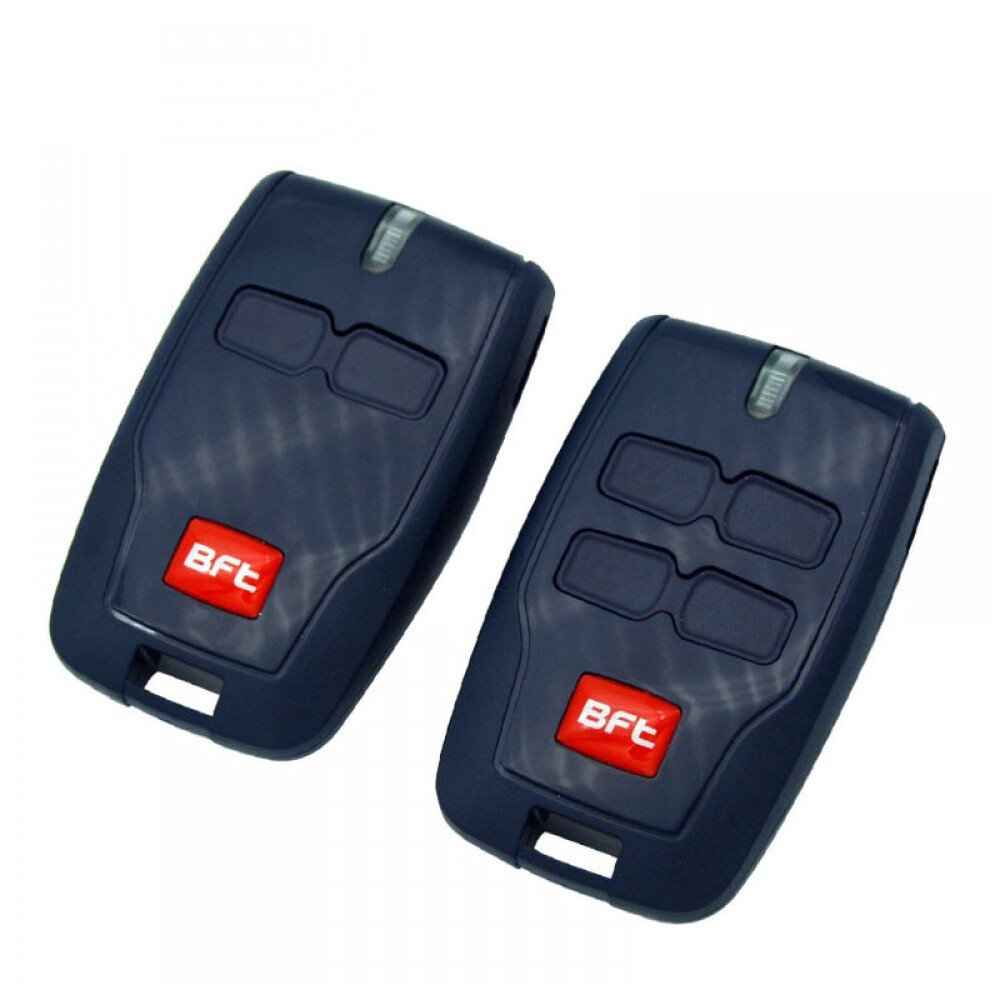
Check the listing for details. BFT MITTO RCB2 RCB4 Fob Gate Remote Control Transmitter 2 and 4 Button Version. Condition: New. Listed at 14.51 USD. Orders placed before 3pm will be dispatched on the same day!Next Day UK Delivery Free Of Charge 98% Success! Gate Remote Control BFT MITTOTwo or Four Button Version. FREE Battery installed in the device for your convenience! For BFT gates, garage doors, barriers or other BFT automation systems. It can be easily programmed from an existing device or from the control panel. BFT MITTO is not a universal transmitter, however it can be used with UNIVERSAL 433.92 MHz rolling code receivers. You can order a universal receiver here Visit our store here Technical Specifications: Model MITTO 2 B RCB Frequency 433.92 MHz Number of button 2 or 4 Battery A23 12V (installed in the device) Coding Rolling Code Dimensions 63 mm × 38 mm × 18 mm Colour Blue How To Program BFT Mitto:The following process will only work if your control panel has been enabled for remote programming by the installer. If the following process does not work you will need the assistance of an approved BFT installer.You must be at the control panel. (It does not need to be open).You will need one existing, functional, transmitter already coded on the system.and any new/replacement transmitters readily to hand.The following sequence must be followed sequentially in rapid succession; any pause in the process will cause the system to time out.Read and familiarise yourself with the process before commencing.Programming Method:1. Press the hidden button on the back of the transmitter already stored on the system for 2 seconds.(If it has no hidden button use the top two front buttons together instead).2. Press the functioning button on the front of the transmitter already stored on the system for 2 seconds.3. Press the hidden button on the back of the new transmitter for 2 seconds.(If it has no hidden button use the top two front buttons together instead).4. Press the desired button on the front of the new transmitter for 2 seconds.Repeat 3 & 4 for as many transmitters as are to be added to the system, but ensure there is no pause between operations to prevent time out.5. Leave 20 Seconds before attempting to use your new transmitter(s) for the board to reset.Coding is now complete.If this process fails to enable your new transmitter(s) contact your local approved BFT Installer. Place your order before 3pm every business day, then your item will be dispatched the same day. All UK orders are shipped with the first-class Royal Mail service, 98% of all parcels arrive almost anywhere in the UK the next business day. Returns:We are accepting returns within 30 days after delivery.Please note:We cannot refund items that have been damaged after arrival due to misuse, wear and tear or accidents.Please make sure you return all the parts that are included - key string, user manual, box, etc. (where they are applicable), otherwise your order will be partially refunded!
You may also like