| Return shipping will be paid by | Buyer |
|---|---|
| All returns accepted | Returns Accepted |
| Item must be returned within | 30 Days |
| Refund will be given as | Money Back |
| Brand | Cables Unlimited |
| Type | Dongle |
| Color | White |
| Model | USB-1520 |
| Connectivity | Bluetooth |
| Ports | USB 2.0 |
| MPN | USB-1520 |
| Features | N/A |
| Bluetooth Standard | Bluetooth v2.0 |
| To Fit | PC |
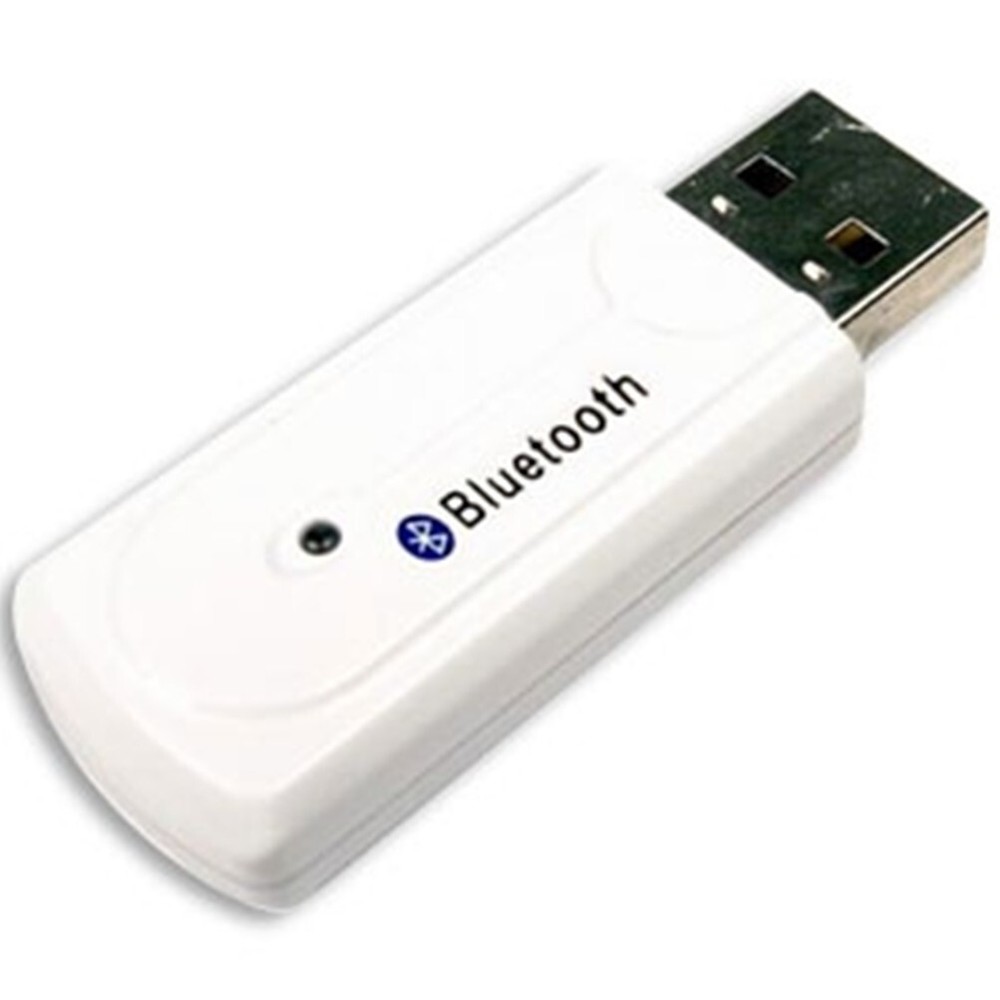
Check the listing for details. Cables Unlimited USB to Bluetooth Adapter 2.0 CLASS II. Color: White, Condition: New. Listed at 9.98 USD. Manufactured by: Cables UnlimitedWarranty provided by: Cables UnlimitedRange up to 10 MetersPoint to Multipoint wireless transmissionEasily link to other Bluetooth devicesUser friendly interfaceUPC No: 724580320685Mfg Part No: USB-1520Box Size: ( Length:6, Width:4, Depth:2)Shipping Weight: 0.0500 pound(s)Dimensional Weight: 1 poundsIncludes CD with Drivers.From the manufacture....This Bluetooth adapter allows you to easily make wireless connections with other Bluetooth enabled devices, such as desktop or notebook computers, PDAs, scanners, printers and mobile phones. Simply plug this compact adapter into your computers USB port to enjoy the freedom and flexibility of Bluetooth wireless technology. Note: XP SP2 Fix In the Service Pack 2, Microsoft included a generic Bluetooth driver, naturally being WHQL-certified. Our Bluetooth driver however is not WHQL-certified, so Windows XP continues using the generic driver. This interferes with the WIDCOMM Bluetooth software resulting in this error. To force Windows XP to use the WIDCOMM driver, perform the following steps: Don't plug in the Bluetooth device yet. If you have any Bluetooth software apart from the included Windows drivers installed, uninstall them and reboot. Install the our Bluetooth software. When it asks you to plug in the Bluetooth device and click OK, don't, and click Cancel instead. When the setup has finished, plug in your Bluetooth device and let Windows install the driver (there should be two Bluetooth icons in the system tray; one blue-white: this is the Windows driver - and one blue-red: this is our driver which is deactivated). Now go to the Device Manager, right click on the "Generic Bluetooth Radio" and select "Update driver". Don't let Windows XP connect to the Internet, then select "Choose software from a list or specified location". In the next window, select "Don't search, but select the driver to install". In the next window, activate "Show compatible hardware" (if it isn't activated already) and select your manufacturers driver instead of the "Generic Bluetooth Radio" driver. Click next until the new driver is installed. Now our Bluetooth system tray icon should be blue-white as well, activated and ready to use. If you now double click on "My Bluetooth Places" (e.g. on the desktop), our software installation will be continued and finished.
You may also like