| All returns accepted | ReturnsNotAccepted |
|---|---|
| Format | |
| Type | Database Management Systems |
| Operating Systems | Microsoft Windows 10 |
| Platform | Windows |
| Language | English |
| Brand | Unbranded |
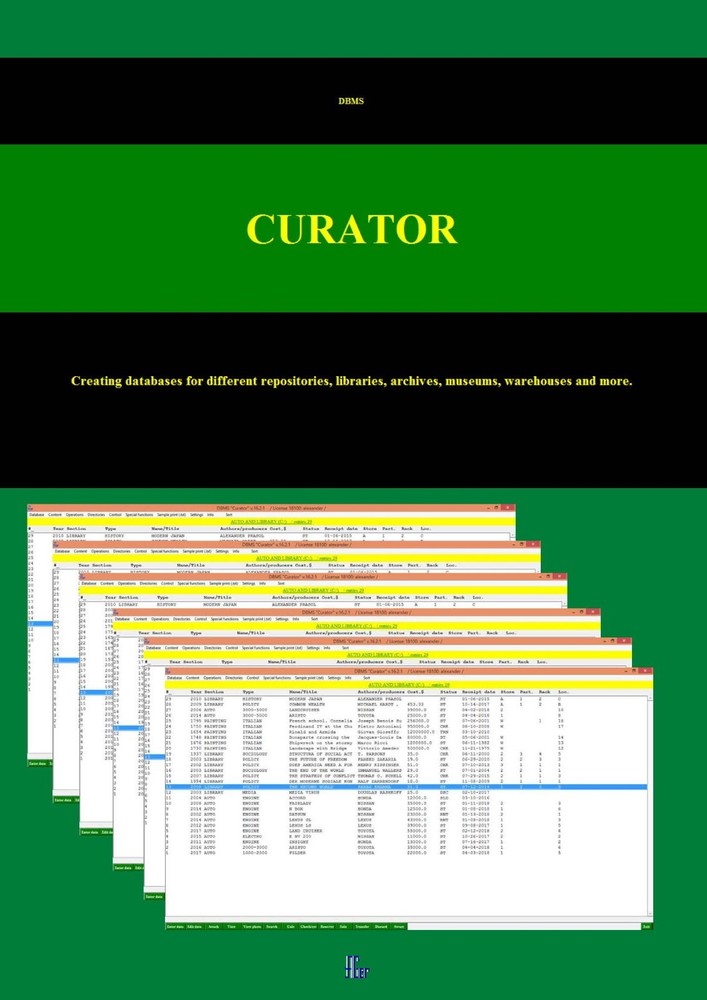
Check the listing for details. DBMS Curator - Database Management Software (Online Download). Condition: Brand New. Listed at 115.00 USD. About the Program March 27, 2020 Update: a new version of the program has been released. It is now possible to do online search by ISBN and import into the database. Also improved viewing and search functionality. (Complete Software Documentation in PDF form is Available upon Request) DBMS "Curator" is designed for private and public libraries, archives, museums, trading/renting enterprises, various storages, collections, etc., both for personal use and for business. The program will be useful both for individual users and for small companies that need to receive, store, rent, or sell various objects (e.g. documents, books, exhibits, vehicles, instruments, and more). One of the advantages of the program is that no special skills or experience working with databases are necessary. “Curator” employs an established list of parameters that describe the stored object. This ensures compatibility of the databases created in the program by different users on different computers. The user does not need to come up with a list of parameters: the program offers parameters to choose from. This allows for starting work with the database promptly, without additional settings. Databases created in "Curator" can be transferred from one computer to another via removable storage devices or over a network. Using functions intended for work with fragments, the user will be able to combine data from different sources connected to the program, as well as to create and use a joint, integrated database with information prepared on other computers, and share information with colleagues. The program is extremely reliable. All the data created by user is duplicated in the database. You can set an automatic backup, which, if necessary, can be used to restore the database. Such procedures as “check out,” “rent,” and “sale” are recorded in monthly journals. Any selection of objects from the database can be quickly printed or included in the report. A set of parameters used to describe storage objects, as well as the ability to download an unlimited number of different attachments, allows you to create databases for various purposes. Built-in functions help to perform some calculations. For advertising purposes, it may be useful to create a photo album. The program allows for downloading multiple databases and quickly switching between them. If necessary, it is possible to transfer information from one database to another. The DBMS "Curator" is an inexpensive and convenient tool for working with a large number of various storage objects. Objects can be both tangible (books, exhibits, tools, cars, etc.), and virtual (electronic documents, music, video, etc.). The program provides a possibility for a quick data search on several parameters, offers a sufficient set of procedures and a simple mechanism for data exchanging, and overall is highly reliable for storing information. DBMS "Curator" is designed to work in the operating environment of MS Windows XP, 7, 8, or 10.For normal operation of the program, standard operating system tools are necessary for viewing text files, images, multimedia files, and PDF. Make sure they are installed before running this program. Video will open in a new window Features The program allows users to: - Create databases of various types of objects (up to 100 million records), with authorization of access, a specified storage structure and an integrated set of operations. - Create records describing the database object (42 parameters), including photos and unlimited number of attachments. - Perform a range of operations:entering the object into the database (each object is assigned a unique serial number)displaying the contents of the database as a list of objects and separately for each object with the ability to printdownloading multiple databases with the ability to quickly switch between them and the information exchange functionselecting objects using the search functionediting object parameters with registering of the editing dateuploading photos and other attachmentscreating a 4-level storage structure (storage, partition, rack, location)duplicating (replicating) of objects in the databasedeleting unnecessary objects, with protection against accidental deletioncalculating of the sums, mean/average, maximum and minimum values of the numerical parameters of the selection of objectsadjusting of sale and rent amounts, if necessaryregistering checkout, rent, sale, transfer, discard of the objectcontrolling operationsprinting of selection of objects in 5 fixed and configurable text formatscreating database backups and restoring themexporting databases into text and Excel formatsimporting databasesexchanging database fragmentsdisplaying gallery of object photos, photo album formation - Exchange information in the format of databases created in the program. Create integrated databases, combining data from different sources. - Display data from the database in text format in a regular text editor for viewing, copying, saving, or printing. Can be used to generate reports, or other documents. After the payment is processed, we will email the buyer the license key file, access code, and the Documentation PDF. The buyer will be able to download the program from our website: http://www.agerapps.com. Feel free to email us with any questions or to request the Documentation PDF at any point in the process. Copyright © 2017-2022 by Alexander Gerasimenko. All rights reserved.The seller legally owns and is authorized to sell this software.
You may also like