| Restocking Fee | No |
|---|---|
| Return shipping will be paid by | Seller |
| Returns Accepted | Returns Accepted |
| Item must be returned within | 60 Days |
| Refund will be given as | Money back or replacement (buyer's choice) |
| Brand | LAUNCH |
| Supported System | Engine |
| OBD Interface | CAN |
| Manufacturer Part Number | CR3001 |
| Vehicle Type | Passenger Vehicle |
| Connectivity | OBDII |
| Warranty | Lifetime |
| Features | Backlit Display |
| Update | Lifetime Free Update |
| Model | LAUNCH CR3001 |
| Similar Model 1 | AL419 ,AL519 AL539 AL619 ML529 |
| Similar Model 2 | LAUNCH CR5001 ,LAUNCH CR4001 ,LAUNCH CR6001 |
| Similar Model 3 | ELM327 OBD2 SCANNER Code Reader |
| Language | English, French, Russian, Spanish, German, Italian |
| Product Dimensions | 9.4 x 5.5 x 1.2 inches |
| Item Weight | 6.4 ounces |
| Type | Code Reader Scanner |
| Material | Original and Premium |
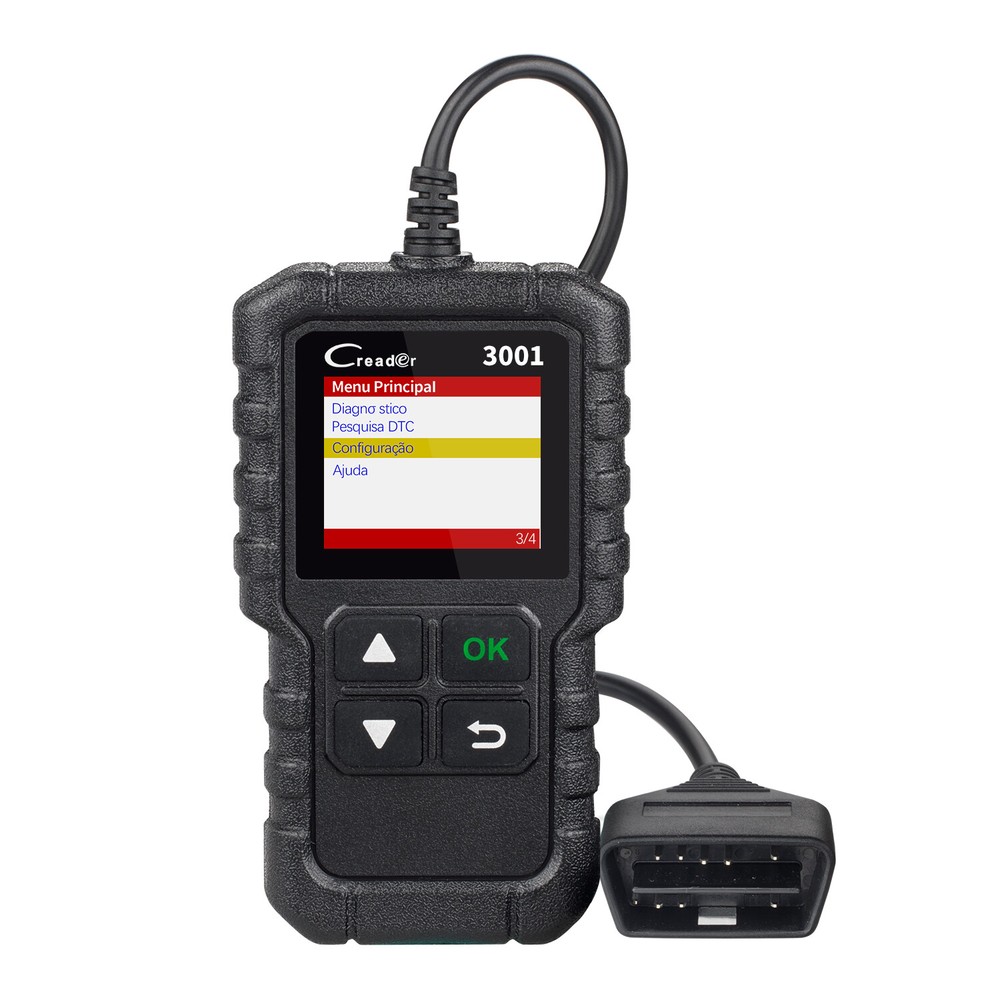
Check the listing for details. LAUNCH CR3001 OBD2 Scanner Code Reader Car Engine Scan Fault Diagnostic Tool. Condition: New. Listed at 23.99 USD. HomePaymentShippingReturn PolicyAbout UsContact UsFeedbackCategoriesTop SellingTop PicksLAUNCHCode ReadersX431 Series ScannersTHINKCARKINGBOLENEDIAGCar Parts ToolOtherLAUNCH Automotive OBD2 Diagnostic Scanner Car Check Engine Light OBD Code ReaderLaunch X431 CR3001 Engine Check including:1. Reading CodesShow the detailed description of the Diagnostic Trouble Code (DTCs)2. Erasing Codes & ResetTurns off Check Engine Light (MIL), clears codes and resets monitors.3. Data StreamReads and displays live ECU/PCM data stream, plotting functions graphically and stores freeze frame data.4. I/M Readiness StatusShows whether the various emissions-related systems on the vehicle are operating properly and are ready for inspection and maintenance testing.5. Read Live Data StreamShow the information of continuous data stream from a vehicle in live graphic (waveform) display.6. View Freeze Frame DataCheck the certain vehicle conditions which are recorded by the on-board computer at the time the emission-related fault occurs.7. O2 Sensor TestAllows retrieval and viewing of O2 sensor monitor test results for the most recently performed tests from the vehicle’s on-board computer.8. On-Board Monitor Test:Retrieves and displays test results for emission-related powertrain components and systems.9. Read Vehicle InformationDisplay the information such as VIN (Vehicle Identification Number), CID (Calibration ID) and CVN (Calibration verification number), etc.10. Component TestCertain vehicle components can be actuated by commands sent from the scanner to test their operabilityTurn Off ''Check Engine'' Light:Parts might cause your check engine light on include: 1. Gas Cap2. Oxygen Sensor3. Air Fuel Ratio Sensor4. Mass Air Flow Sensor5. Ignition Coils6. Spark Plug Wires7. Spark Plugs8. Thermostat9. EGR Valve10. Evaporatative Emission Canister Purge Valve(EVAP)11. Catalytic Converter If the engine light is not turned off in time, It will Cause Serious environmental pollution , Increased fuel consumption,Increased engine noise.Increased in temperature , ectModel 6 test of Launch CR3001:Support Car Models for OBDII diagnostic function:(Note: CR3001 only Supports 12V Gasoline & Diesel, Does not support 24V Truck )American Car:Need Standard OBD2 Protocols from 2000 to now. for Chrysler , for Ford, for GM, For Jeep ...European Car :Need Standard OBD2 Protocols from 2003 to now. For Alfa romeo , for SAAB ,for Acura , for Opel , for Audi for Seat , for Peugeot , for Renault For Bentley , for Skoda , for Daewoo , for Benz , for Daihatsu , for Land Rover , for BMW , for Vauxhall , for Citroen , for Volvo , for Fiat , for VW , for Ford , for Jaguar...Japanese/Korean Car:Need Standard OBD2 Protocols from 2006 to now. for KIA, for Isuzu, for Honda , for Mitsubishi, for Hyundai , for Dacia , for Lexus , for Mazda, for Nissan, for Subaru , for Suzuki, for Toyota...Chinese Car:Need Standard OBD2 Protocols from 2009 to nowNote: if you are not sure whether CR3001 support your car, please send car brand, model, release year to seller to check it for youRegister and Update:Please follow the steps below to perform registration and update: 1. Visit the web to enter the product details page. 2. Click “Update Tool” to download it. 3. Unzip and install it on your PC (compatible with Windows XP, Windows 7, Windows 8 & Windows 10). 4. After the installation is complete, connect one end of the USB cable to the USB port of the PC and the other end to the tool. 5. Once the tool is powered up, launch the update tool on your computer, the system starts reading the tool. Once it obtains the tool information, it will directly navigate to the update center. 6. Click "Upgrade" to start updating until the update is completeSpecifications:Screen:1.77 " TFT, 160*128dpi Voltage Range: 9-18V Operating Temperature: 0℃ -50 ℃ (32 ℉ -122 ℉ ) Environment Temperature: -20 ℃ -70 ℃ (-4 ℉ -158 ℉ ) Dimension : 118mm*68mm*22.3mm(4.65" *2.68 " *0.88 " ) Weight:
You may also like