| All returns accepted | ReturnsNotAccepted |
|---|---|
| Model | IP8100-1 |
| Handset Type | Cordless |
| Type | Handset |
| Features | Speakerphone |
| MPN | Does Not Apply |
| Phone Lines | 1 |
| Brand | Vonage |
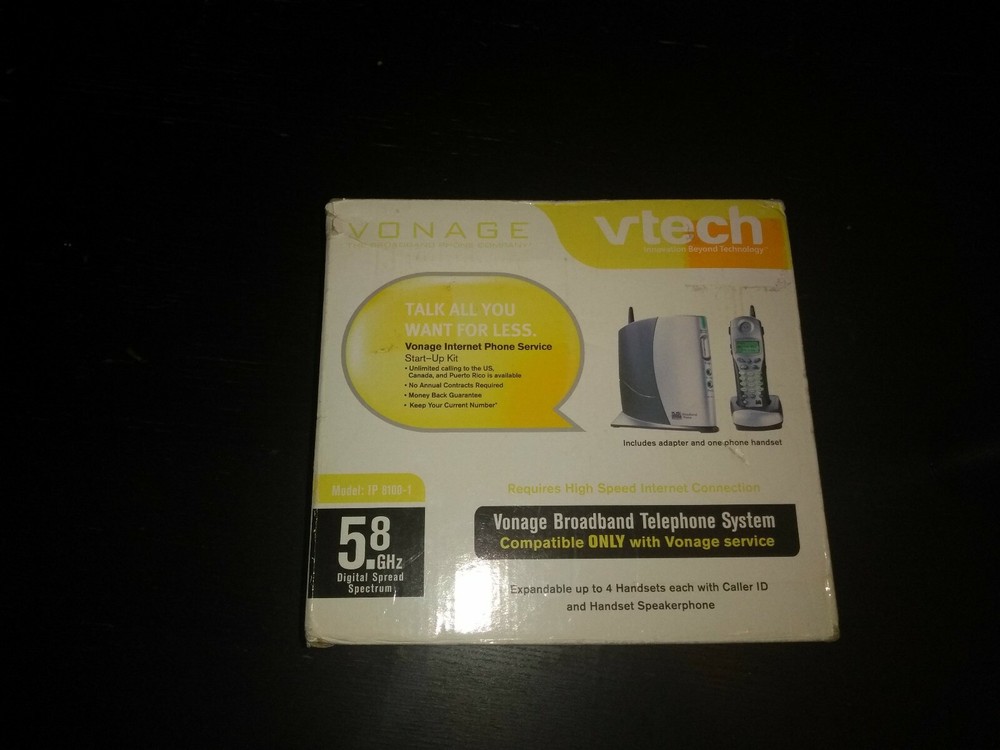
Check the listing for details. Vonage VTech IP 8100-1 Broadband Telephone System, Base & 1Handset. Condition: New. Listed at 12.99 USD. Vonage VTech IP 8100-1 Broadband Telephone System, Base & 1Handset. Condition is New. Shipped with USPS Priority MailVTech IP8100 Cordless Broadband TelephoneUpdated: 12/23/2016 4:30 PMThe Tech IP8100 cordless phone includes a networking router and one Ethernet port.User Guides InstallationRegister or Deregister Handset Indicator Lights Power Supply Login Information Additional Functions User GuidesThe following guide is available in PDF format:Quick Start GuideUser GuideHandset Guide InstallationBefore you start the installation of the VTech IP8100 cordless phone, make sure you have the following:VTech IP8100 cordless phone base unitBase unit power supply If you do not have the power supply adapter that came with the VTech IP8100 cordless phone, it is important to replace it with an adapter that has the same power specifications as the original. Power supply adapters are available from any electronics store, such as Radio Shack. See the power specifications by clicking Power Supply.HandsetHandset BatteryHandset ChargerTwo Ethernet cables One cable came with the VTech IP8100 cordless phone and one is currently being used to connect your Cable or DSL modem to your computer. If you do not have both cables, they are available from any electronics store, such as Radio Shack.High-speed/broadband modem with Internet connectionFor your convenience, Vonage offers two types of installation instructions:A prompted step by step Installation Wizard. See Installing Other Vonage Phone Adapters.Written step by step instructions See below: Note: As soon as you unplug your Cable or DSL modem power supply in step 1, you will lose connection to the Internet. However, as long as you do not leave this page, you will continue to be able to display the following instructions. You can also print this article and follow the printed instructions.Unplug your Cable or DSL modem power supply.Keep your modem off for approximately 10 minutes to clear its memory. This will allow it to recognize the VTech IP8100 cordless phone when you turn it back on in a later step.Keep your modem connected to the line that provides your Internet connection.Disconnect the Ethernet cable that connects your computer to your modem at the computer end.Connect the loose end of the Ethernet cable from step 2 to the Ethernet port (labeled WAN) on the rear panel of your VTech IP8100 cordless phone.Connect the second Ethernet cable from the Ethernet port (labeled PC/LAN) on your VTech IP8100 cordless phone to the Ethernet port on your computer.Plug your modem into an electrical outlet. Wait 60 seconds before going to the next step.Connect the power supply that came with the phone adapter kit to the Power port on the rear panel of the VTech IP8100 cordless phone, then plug the power supply into an electrical outlet. Wait 60 seconds before going to the next step.Shut down your computer, then turn it back on and let it boot up. The Ready light on the VTech IP8100 cordless phone front panel will light when it establishes a connection to the Internet.Test your Internet connection. Open a web browser and enter any website address (you can try www.vonage.com). If you can access the site, you have successfully installed your VTech IP8100 cordless phone and your Vonage service is ready to make calls. .
You may also like