| All returns accepted | ReturnsNotAccepted |
|---|---|
| Brand | Zendeavours |
| Type | Mount |
| Model | Klipsch ProMedia |
| Connectivity | Does Not Apply |
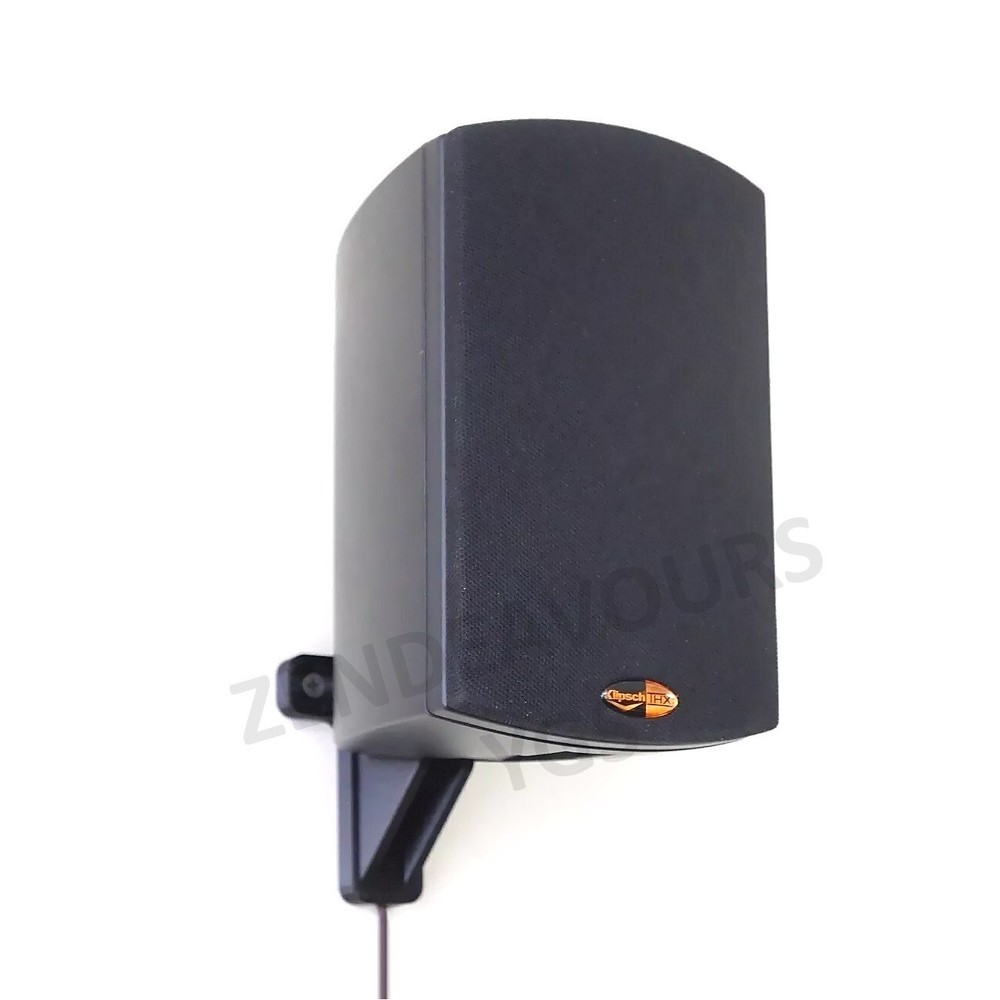
Check the listing for details. Wall Mount Klipsch ProMedia Satellite Speaker. Condition: New. Listed at 9.99 USD. Wall Mount Klipsch ProMedia Satellite Speakers Seamlessly mount your Klipsch ProMedia speaker to the wall. This listing is for a single speaker mount. *Drywall screws not included To install: Replaces the factory stand on the speakers. Remove the 1/4" screw from the bottom of the speaker (be sure to save it!) to slide the factory stands off. To install: Start screwing in one side of the mount to the wall, then slide the speaker wire behind the mount. Leave enough slack to allow you to leave the speaker on the floor or somewhere convenient. Next, start the other wall screw. Before finalizing both screws, pull the slack in the speaker wire to move the speaker into place. With the speaker ready to mount, finish tightening the wall screws. Slide the speaker on the mount. Put the 1/4" black screw that was holding the stand on, back into the speaker now.
You may also like