| Return shipping will be paid by | Seller |
|---|---|
| All returns accepted | Returns Accepted |
| Item must be returned within | 30 Days |
| Refund will be given as | Money back or replacement (buyer's choice) |
| Brand | Unbranded |
| Type | Receiver Automation Modules |
| Country/Region of Manufacture | China |
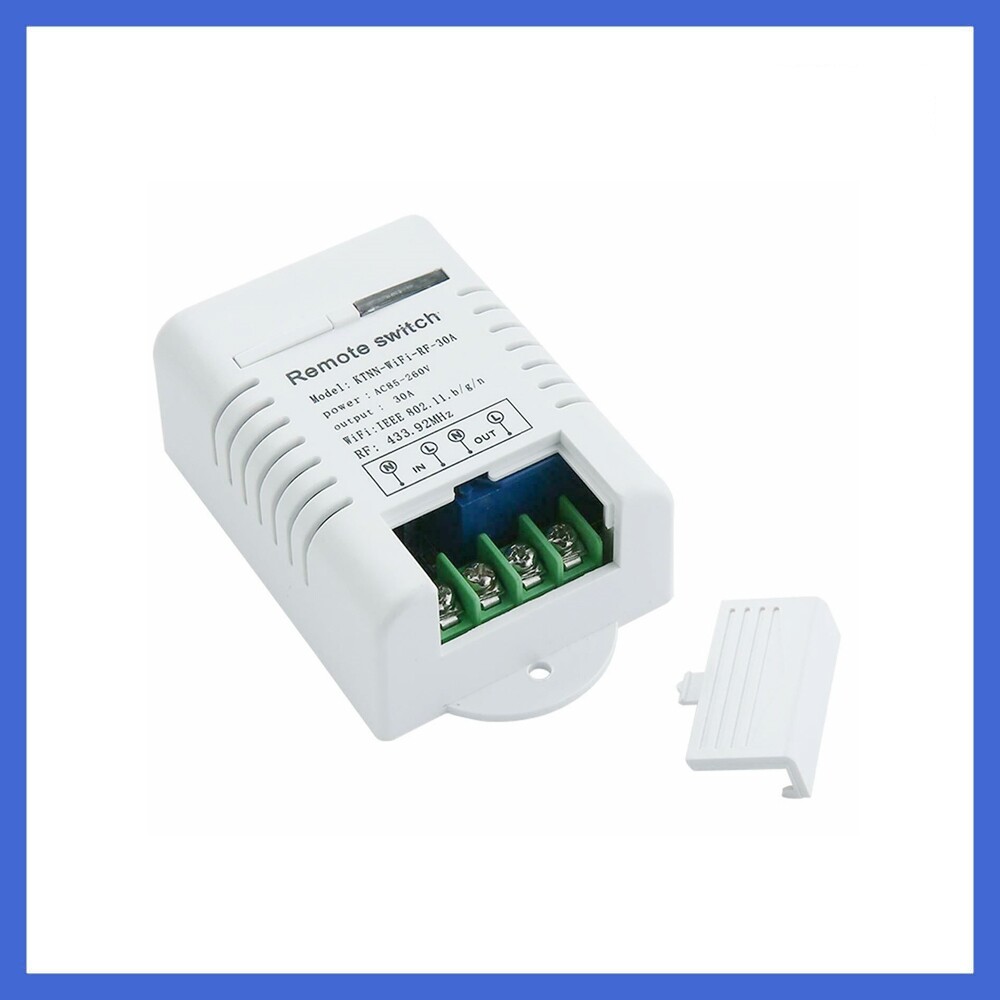
Check the listing for details. WiFi Relay Switch 1-Channel Smart Home Receiver Automation Modules. Condition: New. Listed at 3.95 USD. Specification:Model:WiFi-RF-30AInput Voltage: AC85 -260V 50/60HZOutput Voltage: AC 85 -260V 50/60HzLoad Power: 3000WLoad Current: 30AWIFI Frequency: 2.4GHzRemote Control Frequency: 433MHZReceive Sensitivity: -105dbmCoding Method: Learning typeWorking Mode: Jog, self-locking, interlockingOperating Environment: -30℃~ +75 ℃(-22°F~+167°F), less than 95% relative temperaturePCBA Size: 70mm×50mm×28mm/3.74"×1.97"×1.10"Product Shell Size: 95mm×55mm×33mm/2.76"×2.17"×1.30"Application: smart home, remote control switch, large pumpWarning: High voltage danger, be careful of electric shock, non-professionals should not operate, do not live operation Package List:1 × Remote Control Receiver (Transmitter not included)1 × Instruction Manual Download “eWeLink” APP:Search "eWeLink" download in each major application market/App Store,and follow the software installation instructions to install. Add Divide :1. Connect the device and power it on.2. Press and hold the WIFI pairing button for 5 seconds until the wifi signal indicator blinks three times. And then flash three times.3. Click the "+" device icon in the APP and click Next. 4. You are prompted to select a wifi that can access the Internet and enter the password. Confirm the password and click Next.4. The APP starts searching and automatically switches to connect to the device hotspot. After completing the registration, it automatically jumps to the next step.5. Rename the device. After completing the device addition process. Learning matching methods: 1. Jog mode:Continuously press the receiving board to learn the code key once, the LED indicator lights up, press the code remote control key, and the LED indicator lights out three times continuously, indicating the success of the code-setting mode learning.2. Self-locking mode:Continuously press the receiving board to learn the code key twice, the LED indicator lights up, press the code remote control key, the LED indicator lights out three times, indicating the success of self-locking mode learning code.3. Interlocking mode:Continuously press the receiving board to learn the code key three times, the LED indicator lights up, press the code remote control key, the LED indicator lights out three times, indicating the success of interlocking mode learning code.4. Clear data:Press the key to learn the code eight times on the receiving board, and the LED indicator flashes out continuously. This means that the code clearance is successful and all the remote controllers that have been studied are cleared. Explanation of output mode:1. Self-locking: Press the same remote control button, press it, turn on the relay, press again, turn off the relay.2. Interlocking: Press the "A" key of the remote control, turn on the relay, press the "B" key of the remote control, and turn off the relay.3. Jog: Press the "A" key of the remote control, turn on the relay, release the "A" key of the remote control, and turn off the relay. If the "A" key of the remote controller is pressed all the time, the relay will always be on, when the remote controller is on and when the relay is off. RHOMBUS
You may also like