| All returns accepted | ReturnsNotAccepted |
|---|---|
| Brand | generic |
| Type | Hard Disk, SSD and NVME wiper |
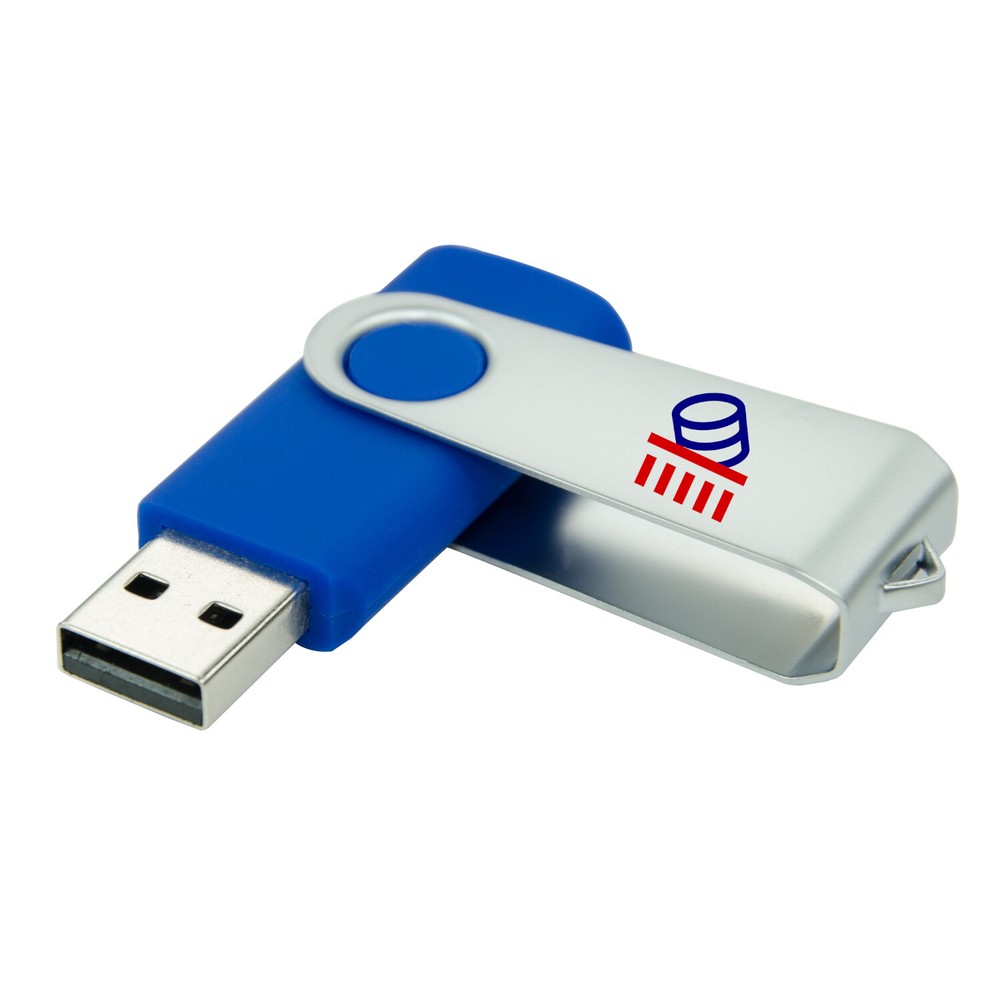
| Format | USB Flash drive |
| Model | Disk Wipe |
Check the listing for details. Wipe Disks Data shredder, Secure Disk Erasure, Wipe, for any computer system. Condition: Like New. Listed at 12.95 USD. This USB includes 32 and 64bit versions the software along with a system that can wipe all disks including SSD's attached to a computer system. If your looking for something that is a lot more up to date than the version of DBAN, you want to get this Flash drive instead. DBAN's development stopped in 2015 and so it doesn't include any advanced wiping techniques or bug fixes for almost seven years. Note however that this software like DBAN does not support secure erasure for SSD drives, but there is other software that supports erasing SSD's and NVME drives, but there is software that supports basic SSD and NVME erasure, but if it is used, it will just try to erase all disks attached to the system without any input from the user. Note that the main version is compatible with macOS, but the secure erasure version is not. What is this USB? It is a USB bootable (BIOS or UEFI) small linux distribution with the sole purpose of securely erasing the entire contents of your disks using the program nwipe. If you are familiar with dwipe from DBAN then you will feel right at home with nwipe. What are the advantages of nwipe over dwipe/DBAN? Well as everybody probably knows, DBAN development stopped in 2015 which means it has not received any further bug fixes or support for new hardware since that date. Nwipe originally was a fork of dwipe but has continued to have improvements and bug fixes and is now available in many Linux distros. The OS will hopefully will always provide the latest nwipe on a up to date Linux kernel so it will support modern hardware. Supports either 32bit or 64bit processors. Includes the latest Nwipe official release, but in addition includes other disc related utilities such as Smartmontools, hdparm and a hexeditor hexedit. Nwipe automatically starts it's GUI in the first virtual terminal (ALT-F1), hdparm, smartmontools and hexeditor can be run in the second virtual terminal, (ALT-F2). Nwipe will erase drives using a user selectable choice of seven methods. hdparm, amongst many of its options can be used for wiping a drive by using the drives internal firmware. The program loadkeys can be used for setting the keyboard type. i.e. loadkeys uk, loadkeys fr etc. It boots very quickly and depending upon the host system can boot in as little as 2 seconds (typically 4 to 6 seconds) on modern hardware, while on an old Pentium4 may take 40+ seconds. Nwipe automatically starts in GUI mode and will list the disks present on the host system. In fact, Nwipe can launch so fast that the USB devices have not yet initialised so the first time nwipe appears it may not show any USB drives. If you then use Control-C to exit and restart nwipe, you should now see any attached USB devices. You can then select the methods by which you want to securely erase the disk/s. Nwipe is able to simultanuosly wipe multiple disks using a threaded software architecture. I have simultaneously wiped 28 loop devices in tests and know of instances where it's been used to wipe upwards of 10 drives on a system. The vanilla version boots into nwipe's GUI and shows the available discs that can then be selected for wiping. It does not autonuke your discs at launch, however it is capable of doing that, if you edit the grub.cfg file and specify the appropriate nwipe command line option. Details of configuring nwipe's launch behaviour is shown below How to run nwipe so you can specify nwipe command line options What do I do after I've erased everything on my disk? What is actually erased?This paragraph is for those that are not familiar with wiping discs. if you know what you are doing skip to the next section. So you have erased your disc with ShredOS/nwipe and nwipe reported zero errors and the disc was erased. In it's erased state and depending upon the method you used every block on the drive contains either zero's or meaningless random data. In this state the disc won't be recognised by your operating system except at a very low level or by specialised programs. You won't be able to write files to the disc because nwipe has removed everything, absolutely everything, the operating system is gone, all your data is gone, the partition table is gone, the file system gone, the MBR and all the files have been erased without a trace and will never ever be recovered from the disk. The only thing left is a whole load of zeros or random data. To make the disc usable again you will either need to format the disk, which creates a partition table and directory structure or install a new operating system such as Linux or Windows. Of course, if you are just disposing of or reselling the disk then you don't need to do anything else. So if you are reasonably happy that you know what you are doing and you understand that you will need to format the disc then I hope this software does it's job and is useful to you. Before you press that 'S' key to start the wipe, pause and double check you have selected the correct drive/s, something I always do ! Nwipe's erasure methodsFill With Zeros - Fills the device with zeros (0x00), one round only.Fill With Ones - Fills the device with ones (0xFF), one round only.RCMP TSSIT OPS-II - Royal What is ShredOS?ShredOS is a USB bootable (BIOS or UEFI) small linux distribution with the sole purpose of securely erasing the entire contents of your disks using the program nwipe. If you are familiar with dwipe from DBAN then you will feel right at home with ShredOS and nwipe. What are the advantages of nwipe over dwipe/DBAN? Well as everybody probably knows, DBAN development stopped in 2015 which means it has not received any further bug fixes or support for new hardware since that date. Nwipe originally was a fork of dwipe but has continued to have improvements and bug fixes and is now available in many Linux distros. ShredOS hopefully will always provide the latest nwipe on a up to date Linux kernel so it will support modern hardware. ShredOS supports either 32bit or 64bit processors. You will need to download the appropriate 64bit or 32bit .img or .iso file, depending upon your target processor and whether you want to burn ShredOS to a USB memory stick, in which case you would download the .img file. Alternatively, if you wanted to burn ShredOS to CD/DVD, then you would download the .iso file. Shredos includes the latest Nwipe official release, but in addition includes other disc related utilities such as Smartmontools, hdparm and a hexeditor hexedit. Nwipe automatically starts it's GUI in the first virtual terminal (ALT-F1), hdparm, smartmontools and hexeditor can be run in the second virtual terminal, (ALT-F2). Nwipe will erase drives using a user selectable choice of seven methods. hdparm, amongst many of its options can be used for wiping a drive by using the drives internal firmware. The program loadkeys can be used for setting the keyboard type. i.e. loadkeys uk, loadkeys fr etc. ShredOS boots very quickly and depending upon the host system can boot in as little as 2 seconds (typically 4 to 6 seconds) on modern hardware, while on an old Pentium4 may take 40+ seconds. Nwipe automatically starts in GUI mode and will list the disks present on the host system. In fact, Nwipe can launch so fast that the USB devices have not yet initialised so the first time nwipe appears it may not show any USB drives. If you then use Control-C to exit and restart nwipe, you should now see any attached USB devices. You can then select the methods by which you want to securely erase the disk/s. Nwipe is able to simultanuosly wipe multiple disks using a threaded software architecture. I have simultaneously wiped 28 loop devices in tests and know of instances where it's been used to wipe upwards of 10 drives on a system. The vanilla version of ShredOS boots into nwipe's GUI and shows the available discs that can then be selected for wiping. It does not autonuke your discs at launch, however it is capable of doing that, if you edit the grub.cfg file and specify the appropriate nwipe command line option. Details of configuring nwipe's launch behaviour is shown below How to run nwipe so you can specify nwipe command line options What do I do after I've erased everything on my disk? What is actually erased?This paragraph is for those that are not familiar with wiping discs. if you know what you are doing skip to the next section. So you have erased your disc with ShredOS/nwipe and nwipe reported zero errors and the disc was erased. In it's erased state and depending upon the method you used every block on the drive contains either zero's or meaningless random data. In this state the disc won't be recognised by your operating system except at a very low level or by specialised programs. You won't be able to write files to the disc because nwipe has removed everything, absolutely everything, the operating system is gone, all your data is gone, the partition table is gone, the file system gone, the MBR and all the files have been erased without a trace and will never ever be recovered from the disk. The only thing left is a whole load of zeros or random data. To make the disc usable again you will either need to format the disk, which creates a partition table and directory structure or install a new operating system such as Linux or Windows. Of course, if you are just disposing of or reselling the disk then you don't need to do anything else. So if you are reasonably happy that you know what you are doing and you understand that you will need to format the disc then I hope this software does it's job and is useful to you. Before you press that 'S' key to start the wipe, pause and double check you have selected the correct drive/s, something I always do ! Nwipe's erasure methodsFill With Zeros - Fills the device with zeros (0x00), one round only.Fill With Ones - Fills the device with ones (0xFF), one round only.RCMP TSSIT OPS-II - Royal Candian Mounted Police Technical Security Standard, OPS-IIDoD Short - The American Department of Defense 5220.22-M short 3 pass wipe (passes 1, 2 & 7).DoD 5220.22M - The American Department of Defense 5220.22-M full 7 pass wipe.Gutmann Wipe - Peter Gutmann's method (Secure Deletion of Data from Magnetic and Solid-State Memory).PRNG Stream - Fills the device with a stream from the PRNG.Verify Zeros - This method only reads the device and checks that it is filled with zeros (0x00).Verify Ones - This method only reads the device and checks that it is filled with ones (0xFF).HMG IS5 enhanced - Secure Sanitisation of Protectively Marked Information or Sensitive InformationNwipe also includes the following pseudo random number generators: Mersenne Twister (mt19937ar-cok)ISAAC (rand.c 20010626)Candian Mounted Police Technical Security Standard, OPS-IIDoD Short - The American Department of Defense 5220.22-M short 3 pass wipe (passes 1, 2 & 7).DoD 5220.22M - The American Department of Defense 5220.22-M full 7 pass wipe.Gutmann Wipe - Peter Gutmann's method (Secure Deletion of Data from Magnetic and Solid-State Memory).PRNG Stream - Fills the device with a stream from the PRNG.Verify Zeros - This method only reads the device and checks that it is filled with zeros (0x00).Verify Ones - This method only reads the device and checks that it is filled with ones (0xFF).HMG IS5 enhanced - Secure Sanitisation of Protectively Marked Information or Sensitive InformationNwipe also includes the following pseudo random number generators: Mersenne Twister (mt19937ar-cok)ISAAC (rand.c 20010626)
You may also like